
Abstract
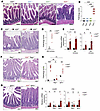
A20, encoded by the TNFAIP3 gene, is a protein linked to Crohn’s disease and celiac disease in humans. We now find that mice expressing point mutations in A20’s M1-ubiquitin–binding zinc finger 7 (ZF7) motif spontaneously develop proximal enteritis that requires both luminal microbes and T cells. Cellular and transcriptomic profiling reveals expansion of Th17 cells and exuberant expression of IL-17A and IL-22 in intestinal lamina propria of A20ZF7 mice. While deletion of IL-17A from A20ZF7/ZF7 mice exacerbates enteritis, deletion of IL-22 abrogates intestinal epithelial cell hyperproliferation, barrier dysfunction, and alarmin expression. Colonization of adult germ-free mice with microbiota from adult WT specific pathogen–free mice drives duodenal IL-22 expression and duodenitis. A20ZF7/ZF7 Th17 cells autonomously express more RORγt and IL-22 after differentiation in vitro. ATAC sequencing identified an enhancer region upstream of the Il22 gene, and this enhancer demonstrated increased activating histone acetylation coupled with exaggerated Il22 transcription in A20ZF7/ZF7 T cells. Acute inhibition of RORγt normalized histone acetylation at this enhancer. Finally, CRISPR/Cas9–mediated ablation of A20ZF7 in human T cells increases RORγt expression and IL22 transcription. These studies link A20’s M1-ubiquitin binding function with RORγt expression, expansion of Th17 cells, and epigenetic activation of IL-22–driven enteritis.
Authors
Christopher J. Bowman, Dorothea M. Stibor, Xiaofei Sun, Nika Lenci, Hiromichi Shimizu, Emily F. Yamashita, Rommel Advincula, Min Cheol Kim, Jessie A. Turnbaugh, Yang Sun, Bahram Razani, Peter J. Turnbaugh, Chun Jimmie Ye, Barbara A. Malynn, Averil Ma
This file is in Adobe Acrobat (PDF) format. If you have not installed and configured the Adobe Acrobat Reader on your system.
Having trouble reading a PDF?
PDFs are designed to be printed out and read, but if you prefer to read them online, you may find it easier if you increase the view size to 125%.
Having trouble saving a PDF?
Many versions of the free Acrobat Reader do not allow Save. You must instead save the PDF from the JCI Online page you downloaded it from. PC users: Right-click on the Download link and choose the option that says something like "Save Link As...". Mac users should hold the mouse button down on the link to get these same options.
Having trouble printing a PDF?
- Try printing one page at a time or to a newer printer.
- Try saving the file to disk before printing rather than opening it "on the fly." This requires that you configure your browser to "Save" rather than "Launch Application" for the file type "application/pdf", and can usually be done in the "Helper Applications" options.
- Make sure you are using the latest version of Adobe's Acrobat Reader.
Supplemental data - Download (645.31 KB)


Copyright © 2025 American Society for Clinical Investigation
ISSN: 0021-9738 (print), 1558-8238 (online)